Your First Service
This guide walks you through provisioning your first managed service on Servala.
Browse the service catalog
-
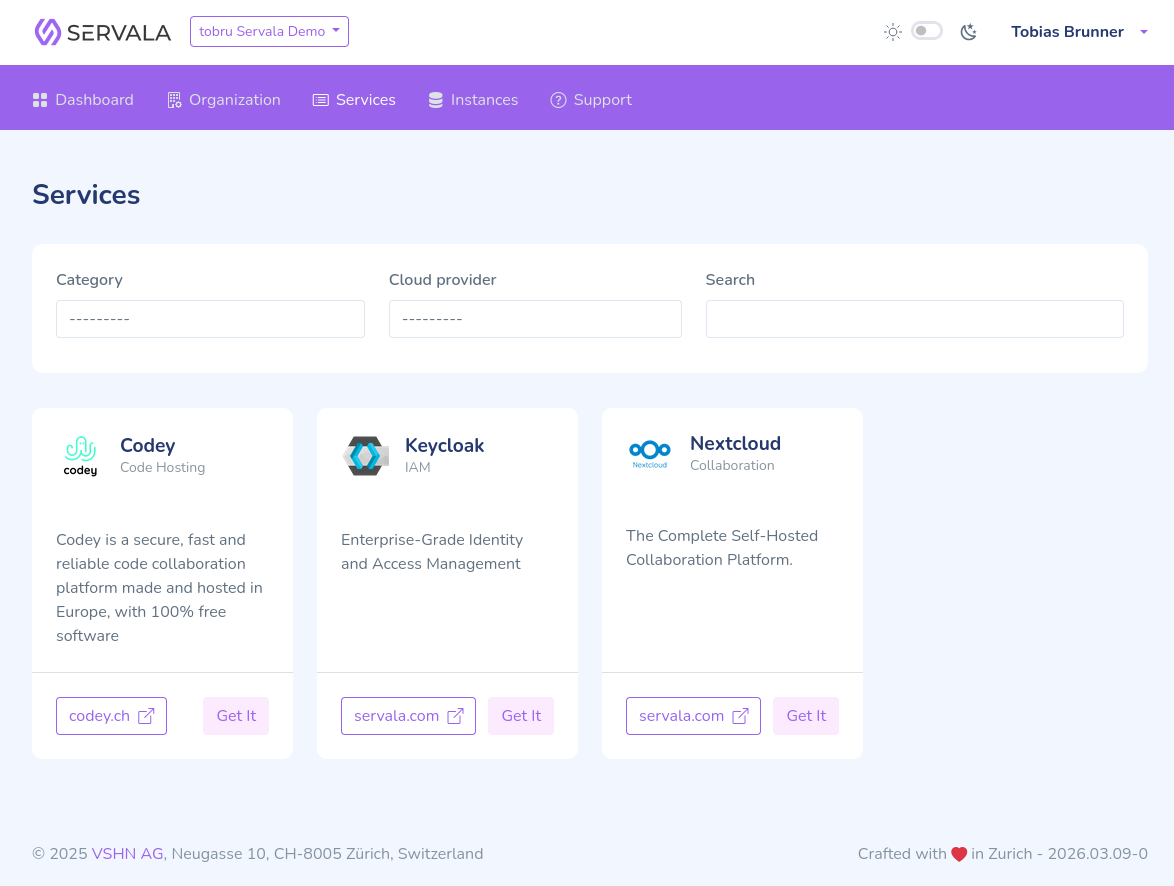
From the portal dashboard, navigate to the Services section.
-
Browse the available services. Services are organized by category (e.g., Databases, DevOps, Identity Management).
-
Click on a service to see its details, available cloud providers, and zones.
Select a provider and zone
-
On the service detail page, you'll see the available offerings -- combinations of cloud provider and zone where this service can be provisioned.
-
Select the offering that matches your requirements (provider, region, data residency).
Configure your instance
-
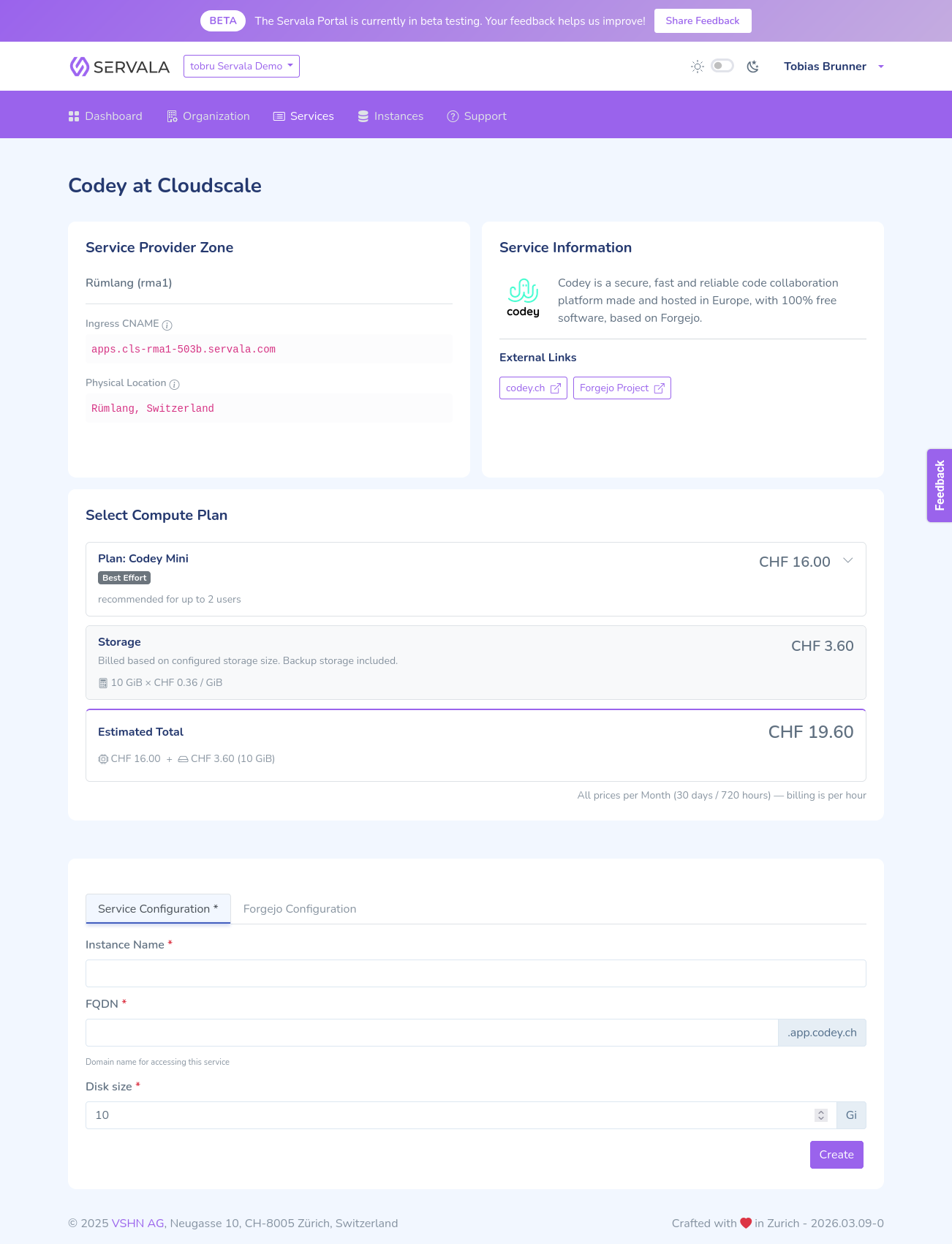
Click Create Instance on your chosen offering.
-
Enter a display name for your instance (a human-readable name for your reference).
-
Configure the service parameters. Depending on the service, you may see:
- Custom mode -- A simplified form with the most common settings
- Expert mode -- All available configuration options from the service's API schema
-
Select a Compute Plan if available (defines the resource tier -- CPU, memory).
-
Review your configuration and click Create.
Monitor your instance
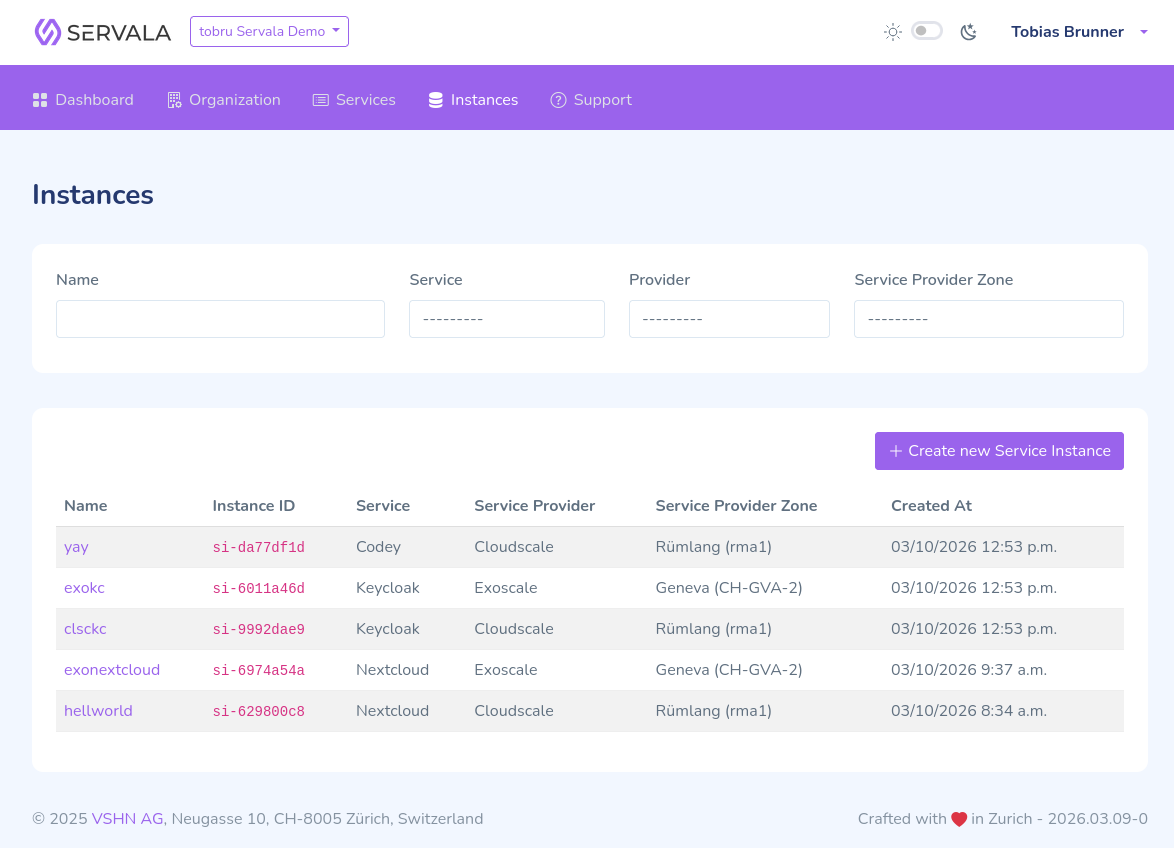
After creation, you'll be taken to the instance detail page where you can:
- Monitor the provisioning status
- View connection credentials once the instance is ready
- Access instance logs
Your instance will typically be ready within a few minutes.
Next steps
- Learn about Organizations to manage team access
- Read the Manage Instances guide for updating, pausing, and deleting instances
- Check the Services section for service-specific details