Organizations
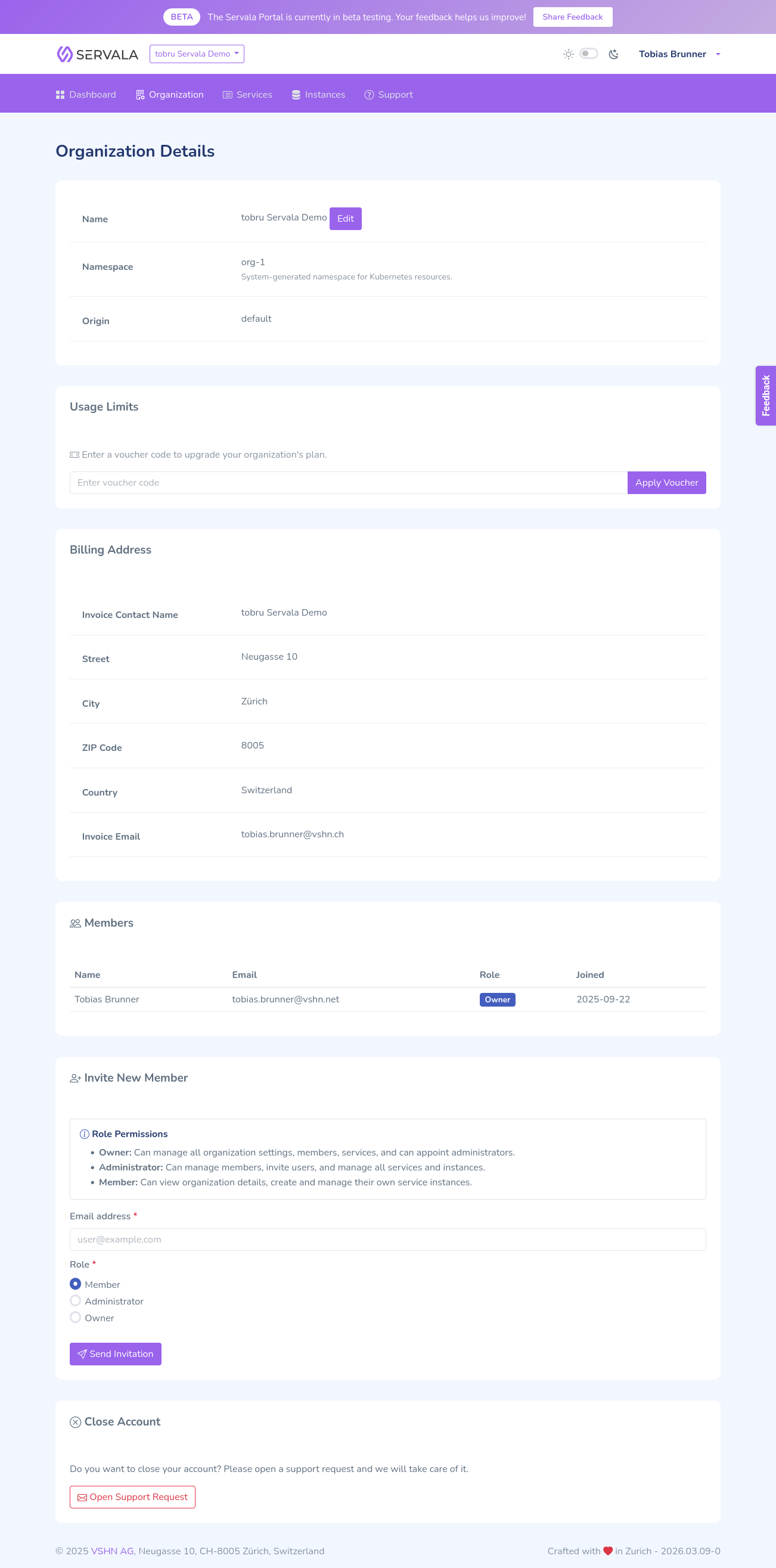
Organizations are the core tenancy model in Servala. Everything you do in the portal -- provisioning services, managing instances, inviting team members -- happens within the context of an organization.
What is an organization?
An organization is a container that groups together:
- Service instances -- all provisioned services belong to an organization
- Team members -- users are invited to an organization with specific roles
- Billing -- each organization has an associated billing entity
You can be a member of multiple organizations and switch between them in the portal.
Membership roles
Each member of an organization has one of three roles:
| Role | Permissions |
|---|---|
| Member | View services and instances, provision new instances |
| Admin | All Member permissions, plus manage members and organization settings |
| Owner | All Admin permissions, plus delete the organization and manage billing |
Switching organizations
If you belong to multiple organizations, you can switch between them using the organization selector in the portal navigation. Your current organization context determines which services and instances you see.
Organization origins
Some organizations are created through specific channels (e.g., a cloud provider marketplace). The origin of an organization can determine:
- Which cloud providers and services are available
- How billing is handled
- Default settings and configurations